7 Best Ways to Prevent Golf Cart Battery Overheating?

Time:2026-10-09 Author:Sophia
0%

Golf cart battery overheating is more than an inconvenience on a hot afternoon. It can shorten battery life, damage cables, reduce driving range, and create serious charging risks. This guide examines seven effective ways to prevent golf cart battery overheating. It uses practical maintenance habits and manufacturer guidance. The goal is not to promise a perfect system. Even experienced owners can overlook a loose connection or charge a battery pack immediately after a steep hill.

Learning how to prevent overheating in golf cart batteries starts with observing small changes. A warm battery case may be normal after use, but excessive heat, swelling, unusual odors, leaking electrolyte, or melted insulation requires immediate attention. Stop charging. Move away from ignition sources. Then consult a qualified technician. Never guess with damaged batteries. Good airflow around the charger and battery compartment matters, especially in enclosed garages. Correct water levels matter for flooded lead-acid batteries, while lithium models require an approved charger and battery-management system. Mixing advice between battery types is an easy mistake. Check the manual before applying any procedure. The sections ahead cover charging habits, terminal care, load management, inspection routines, temperature awareness, ventilation, and timely professional service. These steps are simple, but they work best when recorded consistently. A quick photo of terminals, cables, and fluid levels can reveal gradual changes that memory misses. Small details matter.
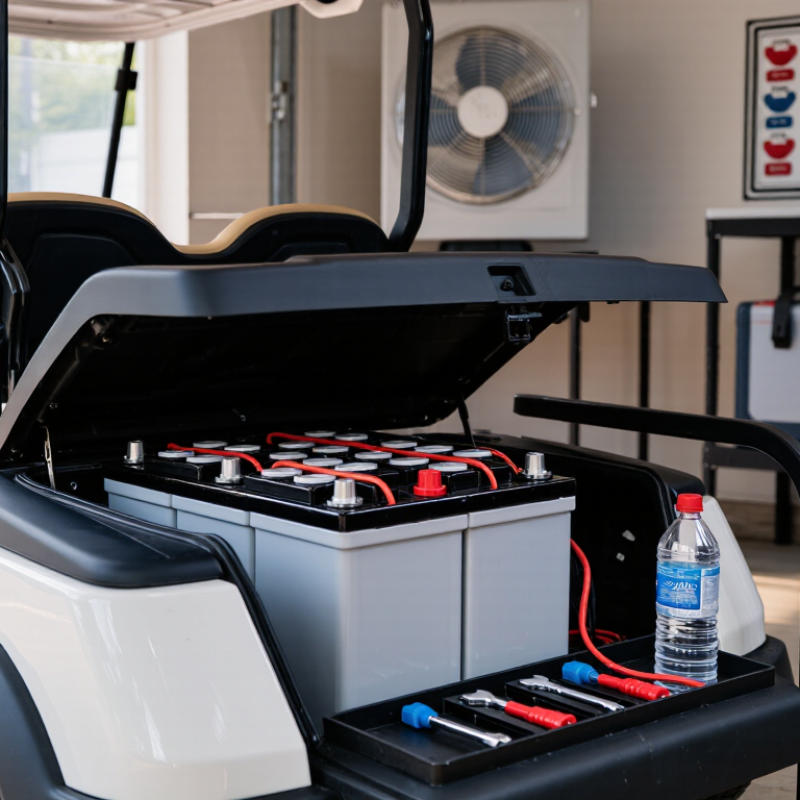
7 Best Ways to Prevent Golf Cart Battery Overheating?

Understand the Main Causes and Warning Signs of Battery Overheating

Golf cart battery overheating often starts quietly. The case may feel unusually hot after a short drive. A sharp sulfur smell, swelling, hissing, or excessive bubbling needs immediate attention. These signs can indicate overcharging, internal damage, poor ventilation, or low electrolyte levels in flooded batteries. Heat can also result from corroded terminals, loose cables, repeated deep discharges, or driving on steep terrain for long periods.

Prevent overheating by using the correct charger and checking its operation regularly. Stop charging when the battery becomes hot, rather than waiting for the cycle to finish. Keep terminals clean and connections tight. Maintain proper electrolyte levels with distilled water, when applicable. Avoid charging in direct sunlight or enclosed spaces. Allow the battery to cool before another charging cycle. Replace damaged, swollen, or leaking batteries through a qualified service professional. Never cover a charging battery with cloth or plastic.

Tips: Check battery temperature by hand before and after charging. Warm is normal; painfully hot is not. Inspect cables for darkened insulation and melted areas. A simple voltage check can reveal a weak battery, but it cannot prove the battery is safe. I once underestimated heat caused by a loose terminal; the smell appeared before the warning was obvious. That mistake is worth remembering. If smoke, sparks, or strong fumes appear, stop using the cart, move away from ignition sources, and seek professional help.

Maintain Proper Water Levels and Battery Cleanliness

A golf cart battery can overheat when water levels fall, terminals corrode, or charging continues under poor conditions. For flooded lead-acid batteries, inspect the electrolyte level regularly, especially during hot weather. The liquid should cover the plates without reaching the cap openings. Use distilled water only. Tap water may leave minerals that weaken battery performance.

Check water after charging, unless the battery manual gives different instructions. If the plates are exposed, add enough distilled water to cover them before charging. Do not fill to the brim. Expansion can force acidic liquid onto the battery case. I once saw an overfilled battery leave wet marks beneath the cart. It looked minor, but the corrosion spread quickly. Gloves and eye protection are sensible.

Keep the battery top dry and clean. Dust mixed with moisture can create a small electrical path, causing discharge and extra heat. Wipe the case with a damp cloth, then use a mild baking soda solution around corrosion. Keep the mixture out of the cells. Clean terminals should be tight, dry, and free from heavy buildup. A loose connection may feel hot after use. That warning matters. Check the charger, cables, and ventilation too, because clean batteries still overheat when charging airflow is blocked. Let the batteries cool before touching them, and stop using the cart if you notice swelling, hissing, a sharp odor, or unusual heat.

Improve Charging Practices and Prevent Overcharging

Golf cart battery overheating often begins with poor charging habits, not extreme weather. Use the charger designed for your battery’s voltage and chemistry. A mismatched charger can push unsafe current into the pack.

Check the charging plug, cable, and terminals before each cycle. Loose or corroded connections create resistance and unwanted heat.

Let the batteries cool after a long drive before charging. Place the cart in a dry, ventilated area, away from paper, fuel, and direct sunlight.

Start charging when the battery level is low, but avoid leaving the charger connected for days. Modern automatic chargers should stop at full charge, yet their shutoff systems can fail.

Test the charger if the battery remains warm or charging continues unusually long. Simple checks matter.

Keep the battery case clean and inspect lead-acid electrolyte levels according to the service instructions. Never add fluid before charging unless the manual specifically requires it.

For lithium batteries, do not use charging settings intended for lead-acid models.

I once assumed an automatic charger needed no supervision. That was careless.

Record charging time and battery temperature for a week. A noticeable change can reveal a failing battery before overheating becomes severe.

Stop charging if you smell sulfur, see swelling, or notice smoke, and seek qualified service.

Temperature is a warning.

Optimize Ventilation, Connections, and Driving Conditions

7 Best Ways to Prevent Golf Cart Battery Overheating

Good airflow is the first defense against excessive battery heat. Park the cart in a shaded, open area while charging. Keep battery vents clear of dust, leaves, and loose covers. Never place blankets or tools over the battery compartment. A clean compartment lets heat escape instead of collecting around the cells. Check the charger’s settings, too. An incorrect charging profile can raise temperatures unnecessarily.

Tips: Inspect terminal connections before long drives. Tighten loose nuts, but do not crush the terminals. Remove corrosion with an approved cleaner and wear eye protection. Warm, discolored, or melted cables need professional inspection. Record battery temperature after charging, especially during hot weather. This small habit can reveal a developing problem early. Still, temperature readings alone can mislead.

Driving conditions matter more than many owners expect. Heavy loads, steep hills, soft ground, and repeated acceleration force batteries to work harder. Carry fewer passengers when possible and reduce unnecessary cargo. Use steady acceleration instead of sudden bursts. Plan short cooling pauses on demanding routes. Let the battery compartment cool before starting another charging cycle. I have found that people often blame the charger first, while poor ventilation or a weak connection may be the real cause. Regular inspection is wiser than guessing.

Inspect Battery Health and Replace Faulty Components Promptly

A hot golf cart battery often signals a deeper problem, not merely a demanding ride. Inspect the battery compartment after charging, when heat is easiest to notice. A healthy pack should feel warm, not painfully hot. Look for swollen cases, cracked covers, loose terminals, melted insulation, or leaking electrolyte. White corrosion around a terminal also deserves attention.

Use a suitable meter to compare voltage across each battery and record the readings. One weak unit can force the others to work harder, creating excess heat during climbs. For flooded batteries, check fluid levels only after disconnecting power and wearing eye protection. Add approved distilled water when required, never acid. Sealed batteries need different testing methods. Follow the vehicle’s service instructions.

I once ignored a slightly loose cable because the cart still operated normally. The terminal later became hot enough to discolor the connector. That mistake taught me to inspect connections before blaming the charger. Clean corrosion carefully, tighten hardware to the specified torque, and replace damaged cables immediately. Do not keep using a battery with a bulging case, persistent overheating, or a burning smell. Replace faulty components promptly, preferably after a qualified technician confirms the cause. Guessing can become expensive. A service log with temperatures, voltage readings, and replacement dates can reveal gradual deterioration before a hot afternoon exposes it.

7 Best Ways to Prevent Golf Cart Battery Overheating: Inspect Battery Health and Replace Faulty Components Promptly

No. Preventive Method What to Inspect Useful Measurement or Warning Sign Recommended Frequency Corrective Action
1 Check battery temperature during charging Measure the temperature of each battery case and check for unusual heat, swelling, cracking, or odor. A lead-acid battery case reaching about 50°C (122°F) or more is a serious overheating warning. During charging whenever overheating is suspected; otherwise, monthly. Stop charging, allow the pack to cool, and have the battery and charger tested before further use.
2 Inspect battery health and balance Compare individual battery voltage, electrolyte specific gravity, and resting condition across the pack. A battery that is consistently lower than the others or has a large specific-gravity difference between cells may be weak or damaged. Every 1–3 months for flooded lead-acid batteries, and whenever charging behavior changes. Replace a failed battery according to the battery set requirements; do not mix old and new batteries unnecessarily.
3 Clean and tighten electrical connections Examine terminals, cables, lugs, and grounding points for corrosion, looseness, discoloration, or melted insulation. Hot spots, darkened terminals, or visible corrosion indicate increased electrical resistance and possible heat buildup. Monthly and after heavy vibration, water exposure, or service work. Disconnect power safely, clean corrosion, tighten connections to the service specification, and replace damaged cables or terminals.
4 Test the charger and charging cycle Check charger output, ventilation, indicator behavior, charging time, and whether charging terminates normally. Repeated overcharging, unusually long charging, error indicators, or a charger that remains hot can signal a fault. At least twice a year and whenever the battery becomes hot or runtime declines. Use a charger matched to the battery chemistry and pack voltage; repair or replace a faulty charger promptly.
5 Maintain correct electrolyte levels For flooded batteries, inspect electrolyte coverage and look for dry plates, leakage, or excessive water loss. Electrolyte should cover the plates; low levels expose plates and increase the risk of heat and permanent damage. Check monthly and after the battery has completed a full charge. Add only distilled water when required, normally after charging; never add water to sealed batteries.
6 Improve ventilation and reduce ambient heat Keep the battery compartment free of debris and confirm that vents are open and air can circulate around the pack. Heat that remains trapped after charging, blocked vents, or direct sunlight can raise battery temperature and shorten service life. Inspect monthly and before charging in hot weather. Park in a cool, dry, ventilated area; remove obstructions and never cover a battery compartment while charging.
7 Replace faulty components promptly Evaluate batteries, cables, fuses, contactors, connectors, and temperature sensors for repeated overheating or visible damage. Swelling, leakage, melted insulation, burnt connectors, repeated voltage imbalance, or abnormal heat requires immediate attention. Immediately when any unsafe symptom appears. Stop using the cart until the defective component is professionally tested and replaced with a compatible part.

Safety note: Wear appropriate eye and hand protection when servicing lead-acid batteries. Avoid sparks and open flames, and follow the battery and charger service instructions for the specific golf cart system.

FAQS

How often should I check a flooded lead-acid battery’s water level?

Check it regularly, especially during hot weather. The liquid should cover the plates without reaching the cap openings.

What type of water should I add to the battery?

Use distilled water only. Tap water may leave minerals that reduce battery performance.

When should I add water?

Check after charging, unless the service manual says otherwise. If plates are exposed, cover them before charging. Do not fill to the brim.

What happens when a battery is overfilled?

Expansion can push acidic liquid onto the case. Wet marks beneath the cart may signal a problem. Corrosion can spread quickly.

How can I keep the battery case clean?

Keep the top dry and clean. Wipe it with a damp cloth. Use mild baking soda solution around corrosion, not inside the cells.

What signs suggest a loose or corroded connection?

Terminals may show heavy buildup or feel hot after use. Loose connections create resistance and extra heat. Tighten them only when the battery is cool.

How should I charge the battery safely?

Use a charger matching the battery’s voltage and chemistry. Let the battery cool after a long drive. Charge in a dry, ventilated area.

Can I leave the charger connected for several days?

Avoid it. Automatic shutoff systems can fail. Record charging time and temperature for one week. I once trusted automatic charging too much. That was careless.

What symptoms mean I should stop using the cart?

Stop immediately if you notice swelling, hissing, smoke, sulfur odor, or unusual heat. Keep away from the battery and seek qualified service. Temperature is a warning.

Conclusion

Preventing golf cart battery overheating starts with recognizing its common causes and warning signs, such as excessive heat, unusual odors, swelling, reduced performance, or slow charging. To understand how to prevent overheating in golf cart batteries, keep water levels within the recommended range when applicable, clean dirt and corrosion from the battery area, and ensure the terminals and connections remain secure. Proper maintenance helps reduce resistance and allows the battery to operate more efficiently.

Charging practices are equally important. Use the correct charger, avoid unnecessary overcharging, and allow the batteries to cool before and after demanding use. Good ventilation can disperse heat, while moderate driving on steep slopes or rough terrain reduces strain. Regularly inspect battery condition, cables, connectors, and charging equipment for damage or wear. Faulty components or aging batteries should be repaired or replaced promptly to prevent heat buildup, improve reliability, and support safer golf cart operation.

Sophia

Sophia

Sophia is a dedicated marketing professional with an exceptional depth of knowledge about her company's products and services. With a keen understanding of market trends and customer needs, she crafts insightful blog posts that not only inform but also engage readers, enriching the company’s online......